Featured Project · Agentic AI · Alberta Energy Sector
AER Compliance Agent
Autonomous AI agent for industrial compliance auditing — 7-tool orchestration with LangChain + GPT-4o, RAG over Alberta Energy Regulator directives, and zero-manual-step audit workflows completing in under 30 seconds.
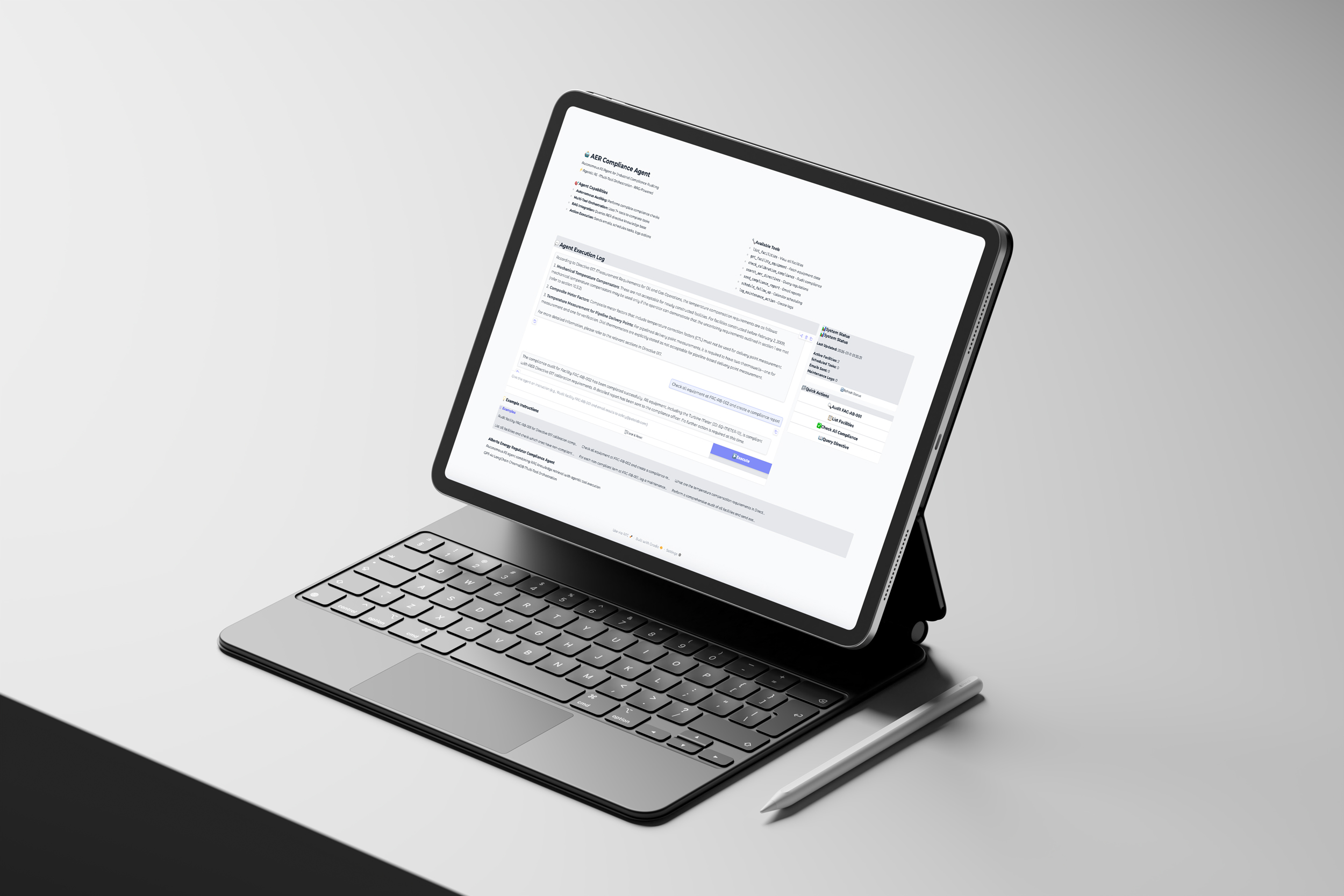
Project Overview
The core insight
Traditional RAG systems answer questions. This agent performs work. The shift from passive knowledge retrieval to active operational execution is what makes this genuinely useful in an industrial compliance context — and genuinely interesting as an engineering problem.
The Evolution: From RAG to Agent
The predecessor to this project was a RAG system that could answer questions about AER directives. That's useful — but a compliance officer doesn't just need answers, they need the audit done, the report sent, the follow-up scheduled, and the maintenance logged. That's what an agent does.
The shift to agentic AI
From "tell me about compliance requirements" to "audit this facility and handle it" — the agent autonomously orchestrates tools to achieve a goal, not just retrieve information.
Multi-tool orchestration
The LLM acts as the decision-maker, choosing which tools to call and in what sequence. No hardcoded workflows — the agent reasons about the best path to the goal.
Real-world actions
Not just information retrieval — sends emails, schedules follow-up tasks, logs maintenance actions, and generates compliance reports. Measurable outputs, not just text.
Production architecture
Designed for extensibility — adding new tools, integrating real APIs, and scaling to enterprise systems requires minimal changes to the core agent structure.
RAG vs. Agent: The Fundamental Difference
Agent Architecture
Input — User goal
Natural language instruction
"Audit FAC-AB-001 for Directive 017 compliance and email results to safety@petolab.com"
Agent brain — GPT-4o
LangChain Tool Calling Agent
Decides which tools to invoke and in what sequence — no hardcoded decision trees
Tool layer — 7 tools
Knowledge · Analysis · Action
Systems layer
Mock enterprise APIs
Equipment DB · Email outbox · Calendar · Maintenance log — all drop-in replaceable
Output — autonomous actions
Complete workflow execution
Audit report + email delivery + calendar scheduling + maintenance logs — all in under 30 seconds
- Agent decides: the LLM chooses which tools to invoke based on the goal — not pre-programmed logic.
- Tool chaining: the agent calls 5+ tools in sequence to complete complex workflows within a single instruction.
- RAG integration: one of the 7 tools is the ChromaDB-backed RAG system — the agent queries it alongside taking actions.
- Zero manual steps: complete audit workflows execute without any human intervention after the initial instruction.
Core Engineering Contributions
LangChain Agent with GPT-4o Function Calling
LLM-driven tool selection — no hardcoded decision trees, no rule-based routing
Challenge: Enable an LLM to autonomously decide which tools to use, in what order, and when to stop — without pre-programmed workflows that break on any input variation.
Solution: LangChain's Tool Calling Agent with GPT-4o's native function calling capability. The agent receives a goal, reasons about it, selects tools, processes results, and iterates until the goal is achieved.
Agent setupfrom langchain_openai import ChatOpenAI
from langchain.agents import AgentExecutor, create_tool_calling_agent
class AERComplianceAgent:
def __init__(self, api_key: str, model: str = "gpt-4o"):
self.llm = ChatOpenAI(
model=model,
temperature=0, # Deterministic — critical for compliance work
api_key=api_key
)
self.agent = create_tool_calling_agent(
self.llm,
audit_tools, # 7 available tools
self.prompt # Custom system prompt for regulatory context
)
self.agent_executor = AgentExecutor(
agent=self.agent,
tools=audit_tools,
verbose=True, # Full transparency on tool calls
max_iterations=15, # Cost cap — prevents runaway execution
handle_parsing_errors=True
)- Temperature 0 — deterministic tool selection is non-negotiable in a compliance context.
- Custom system prompt — guides the agent's behaviour specifically for AER regulatory work.
- Max iterations cap — prevents runaway execution and controls API costs in production.
- Verbose mode — every tool call is visible, building the transparency needed for compliance trust.
Tool Design with Pydantic Schemas
Type-safe, self-documenting tools the LLM can understand and invoke correctly
Challenge: The LLM reads tool docstrings to decide which tool to invoke. Ambiguous or incomplete descriptions cause wrong tool selection. Unvalidated inputs cause silent failures downstream.
Solution: Every tool defined with Pydantic input schemas, descriptive docstrings explaining exact behaviour, and explicit return format documentation. The description is the interface.
Tool definition with Pydantic validationfrom langchain.tools import tool
from pydantic import BaseModel, Field
class FacilityInput(BaseModel):
facility_id: str = Field(description="Facility ID to audit (e.g. 'FAC-AB-001')")
@tool
def check_calibration_compliance(facility_id: str) -> str:
"""
Checks all equipment calibration dates against the 365-day requirement
in AER Directive 017. Returns a detailed list of non-compliant items
including equipment ID, days overdue, and criticality level.
Use this after get_facility_equipment to perform a compliance audit.
"""
equipment = mock_db.fetch_equipment(facility_id)
non_compliant = []
for item in equipment:
days_since = (datetime.now() - item['last_calibration']).days
if days_since > 365:
non_compliant.append({
'id': item['id'],
'days_overdue': days_since - 365,
'criticality': item.get('criticality', 'Unknown')
})
return format_compliance_report(non_compliant)Knowledge
search_aer_directives— RAG query over directive PDFslist_facilities— enumerate registered locations
Analysis
get_facility_equipment— fetch from equipment DBcheck_calibration_compliance— audit against Directive 017
Action
send_compliance_report— email to stakeholdersschedule_follow_up— calendar entry creationlog_maintenance_action— audit trail logging
Mock Enterprise System Architecture
Realistic APIs without infrastructure dependency — drop-in replaceable with real systems
Challenge: Demonstrate a complete enterprise agentic workflow without requiring actual equipment databases, email servers, or calendar systems — while keeping the architecture clean enough to migrate to real APIs easily.
Solution: Built a comprehensive mock layer matching real API response shapes. The function internals change; the tool interfaces don't.
Mock data with deliberate compliance violationsMOCK_FACILITIES = {
"FAC-AB-001": {
"name": "Edmonton South Terminal",
"equipment": [
{
"id": "EQ-PUMP-01",
"type": "Glycol Pump",
"last_calibration": "2023-12-07", # 400+ days ago — non-compliant
"criticality": "High"
},
# ... additional equipment, some compliant, some not
]
}
}
def mock_api_send_email(to: str, subject: str, body: str) -> dict:
"""Simulates POST /api/email/send — swap internals to use real SMTP/SES"""
entry = {
"id": f"EMAIL-{len(EMAIL_OUTBOX) + 1000}",
"to": to, "subject": subject, "body": body,
"sent_at": datetime.now().isoformat()
}
EMAIL_OUTBOX.append(entry)
return {"status": "sent", "email_id": entry["id"]}Equipment database
- 2 facilities, 5 equipment items
- Deliberate non-compliance scenarios baked in
- Criticality levels (High / Medium / Low)
- Calibration date history
Email outbox
- Full metadata tracked per sent email
- Email IDs for traceability
- Timestamp and recipient logging
- Body content preserved for audit
Calendar system
- Scheduled tasks with confirmation IDs
- Due date and priority tracking
- Assignee support for follow-ups
- Status updates on completion
Maintenance log
- Timestamped entries per action
- Equipment-level granularity
- Technician assignment fields
- Full audit trail persistence
Production-Grade UI with Real-Time Agent Transparency
WCAG 2.1 AA compliant Gradio interface showing exactly what the agent is doing
Challenge: Users need to trust an autonomous agent making compliance decisions. That trust requires visibility — seeing which tools were called, in what order, with what results — not just a final answer.
Solution: Custom Gradio design system with a real-time status dashboard tracking emails sent, tasks scheduled, and logs created as the agent works.
- WCAG 2.1 Level AA compliance — all text meets 4.5:1 contrast ratio for accessibility.
- Real-time status dashboard — emails sent, tasks scheduled, and logs created update live as the agent works.
- Tool call transparency — verbose mode output shown so users see exactly what the agent is reasoning about.
- Quick action buttons — pre-loaded example workflows for immediate onboarding without writing prompts.
- Responsive layout — adapts from mobile to widescreen without layout breaks.
End-to-End Workflow Example
Instruction: "Audit facility FAC-AB-001 for Directive 017 compliance and email results to safety@petolab.com"
Knowledge retrieval
- Calls
search_aer_directives - Queries RAG for 365-day calibration requirement
- Retrieves directive citations with chunk references
Data collection
- Calls
get_facility_equipment - Fetches 4 equipment items from the facility DB
- Retrieves calibration dates and criticality levels
Compliance analysis
- Calls
check_calibration_compliance - Identifies 2 items overdue (400 and 380 days)
- Generates detailed violation report with equipment IDs
Report distribution
- Calls
send_compliance_report - Emails full report to safety officer
- Includes specific equipment IDs and days overdue
Follow-up planning
- Calls
schedule_follow_up - Creates calendar entry for 2-week follow-up
- Returns confirmation ID
Documentation
- Calls
log_maintenance_action(×2) - Creates maintenance entry per violation
- Full audit trail auto-generated
Results & Impact
Example Use Cases
Single facility audit
"Audit facility FAC-AB-001 for Directive 017 compliance and email results to safety@petolab.com"
- Autonomous multi-step workflow
- 6 tool invocations
- Complete in under 30 seconds
Multi-facility analysis
"Check calibration compliance for all facilities and send an executive summary."
- Comparative analysis across sites
- Consolidated reporting
- Prioritised by criticality level
Knowledge query + action
"What are the calibration requirements in Directive 017? Then check if FAC-AB-001 meets them."
- RAG query for regulatory requirements
- Compliance verification against real data
- Gap analysis and automated reporting
Proactive maintenance
"For each non-compliant item, log a maintenance action and schedule calibration."
- Automated work order creation
- Calendar scheduling per item
- Full documentation trail
Technology Stack
Agent framework
RAG system
Backend & infrastructure
Frontend & UI
Engineering Learnings
Function calling is the unlock for agents
LLM function calling enables genuine agentic behaviour. The agent makes autonomous decisions about tool sequencing — this is fundamentally different from hard-coded logic or simple RAG retrieval, and the difference is not subtle in practice.
Tool descriptions are the interface
Clear, detailed docstrings in tool definitions directly determine agent performance. The LLM reads these descriptions to decide which tool to invoke — ambiguous descriptions cause wrong selection more reliably than any other failure mode.
Temperature 0 is mandatory for compliance
Regulatory domains require deterministic behaviour. Temperature 0 ensures consistent tool selection and prevents creative but incorrect responses in compliance-critical applications — the cost is zero and the benefit is enormous.
Mock systems accelerate real architecture
Building comprehensive mock systems enables rapid iteration without enterprise infrastructure. The drop-in design means migration to real APIs is a matter of changing function internals, not restructuring the agent.
Pydantic for input validation is non-negotiable
Pydantic schemas prevent malformed tool calls and provide automatic validation. When LLMs generate function inputs, validation catches errors before execution — silent failures in compliance workflows are unacceptable.
Transparency earns trust in autonomous systems
Real-time status tracking and verbose mode aren't optional for production deployment. Users need to see which tools the agent calls to trust autonomous decision-making in compliance scenarios — showing the work is the product.